Push-button vs touchscreen comes down to one real choice on Skutt’s small home kilns. The KM models use a 12-key push-button controller, while the KMT models add a touchscreen with built-in WiFi. The kilns themselves are otherwise identical. This is purely a controller decision, not a difference in firing quality or capacity.
This guide covers what each controller actually does, so you can decide whether the upgrade is worth the extra cost.
What the Push-Button Controller Offers
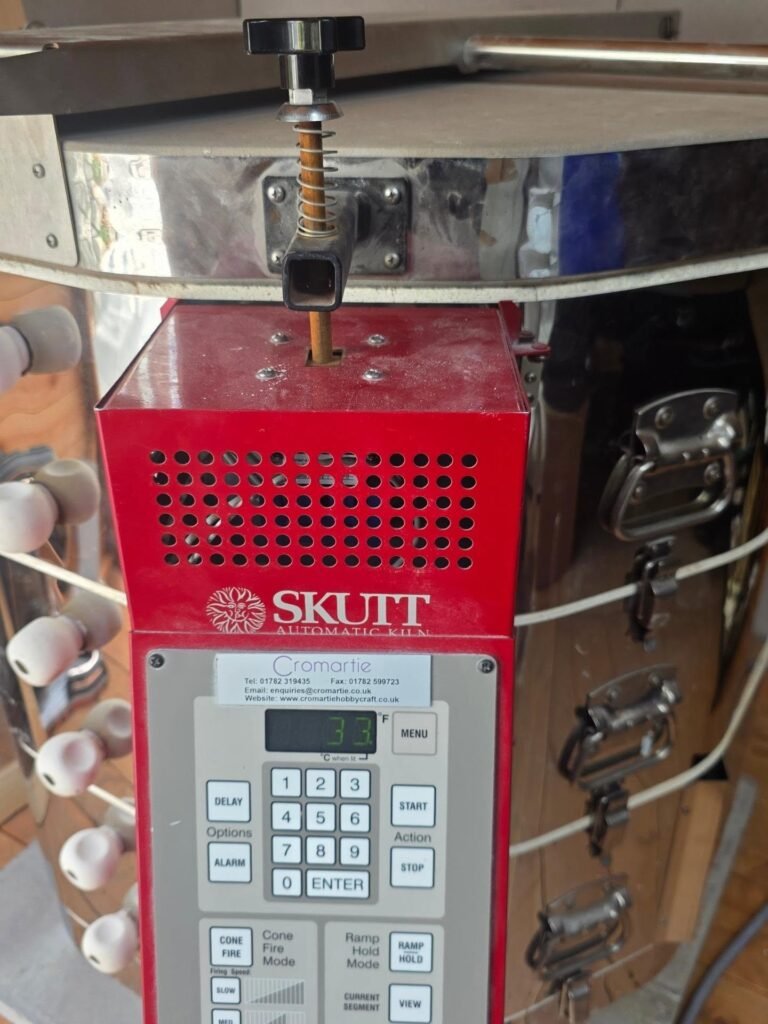
The standard 12-key controller handles cone-fire mode simply. Enter your target cone, then push a button for a slow, medium, or fast firing program. Even experienced potters use these time-saving presets regularly.
If you want to write your own custom programs, the controller supports that too. It stores up to twelve programs with up to 32 steps each. That covers serious custom firing needs without a touchscreen.
What the Touchscreen Adds
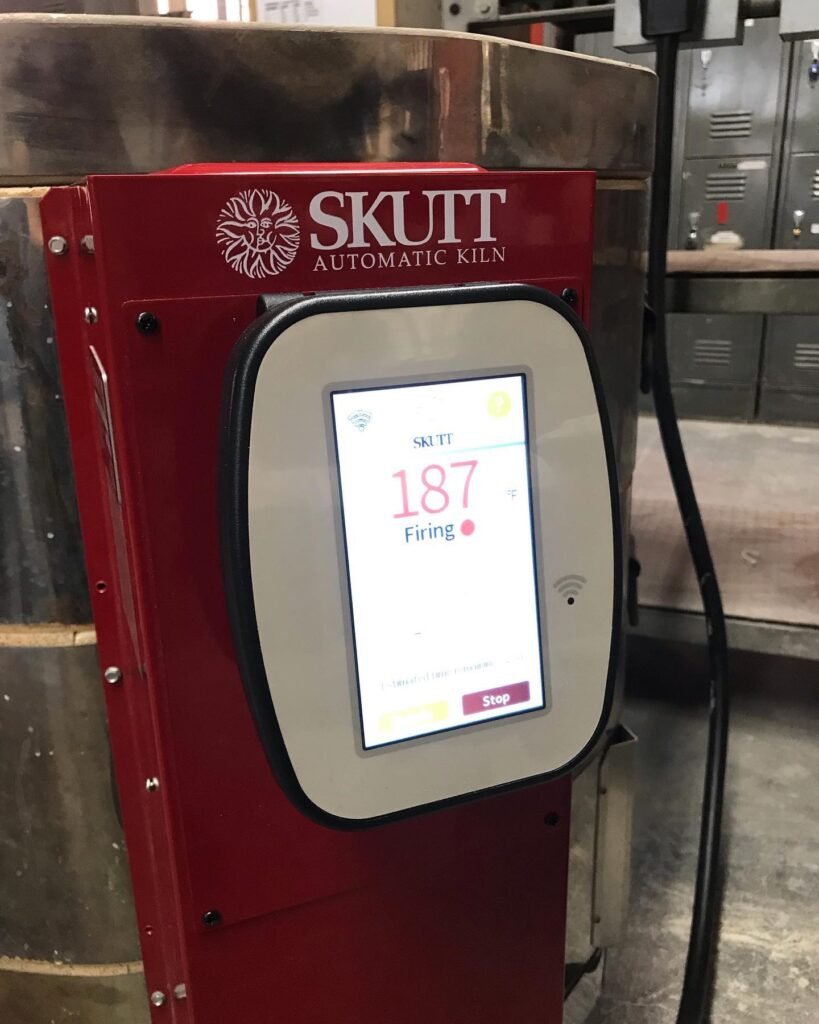
The KMT controller navigates like a smartphone, with full sentences, icons, and guided navigation instead of button codes. Built-in WiFi lets you monitor kiln temperature and status remotely through a free app.
The touchscreen also has a hinged mount. You can angle it comfortably while programming, then push it back down and out of the way once you’re done. No more kneeling down to read a control panel mounted low on the kiln.
A Real Safety and Repair Advantage
Skutt builds a current sensor into these kilns regardless of which controller you choose. This lets you read the amperage, voltage, and voltage under load for each section of the kiln.
That matters most when something goes wrong. You can read those numbers over the phone to a repair technician. They can diagnose the problem and bring the right parts on the first visit. Before this feature existed, someone had to physically test live wires inside the control box. That was both slower and genuinely more dangerous.
You Don’t Have to Decide Forever
This isn’t necessarily a permanent choice. Skutt sells a retrofit kit that upgrades an existing KM push-button kiln to full KMT touchscreen functionality later on.
This means you can buy the more affordable KM model now. Say you decide you want the touchscreen features after all. You can upgrade the controller down the road, without replacing the whole kiln.
Firing History and Data Logging
The touchscreen controller stores information from your last 10 firings, which you can download to a spreadsheet. This gives you a real record of firing temperatures and timing over time. It’s useful for troubleshooting inconsistent results or tracking element wear.
Skutt also offers an optional upgrade called KilnLink, which adds more advanced remote monitoring. The built-in WiFi on touchscreen models means you don’t need extra hardware to add this feature. You just pay a modest monthly data fee if you choose to use it.
Vent Compatibility Is the Same Either Way
Vent system compatibility doesn’t change based on which controller you choose. Both the KM and KMT versions of the 614 work with the same vent hardware. This isn’t a factor in the controller decision at all.
Quick Comparison
| Feature | KM (Push-Button) | KMT (Touchscreen) |
|---|---|---|
| Controller | 12-key push-button | Touchscreen with WiFi |
| Programming | Preset + custom, up to 32 steps | Same, guided by icons and text |
| Remote Monitoring | Not available | Free app, WiFi built in |
| Firing History | Not logged | Last 10 firings saved |
| Cone 6 Capability | Yes | Yes |
Skutt has also rolled out a smaller Mini Touchscreen controller on some models. It carries nearly all the functionality of the full-size KMT screen in a more compact interface. This shows up on select smaller kilns as Skutt continues expanding touchscreen options across their lineup.
Skutt KM-614-3
The push-button version of Skutt’s popular small home kiln. It runs on a 20-amp, 115V circuit with the same Cone 6 capability as the touchscreen model.
Is the Upgrade Worth It?
If remote monitoring and app-based control genuinely matter to your workflow, the touchscreen earns its higher price. Say you’re comfortable with button presses and don’t need to check your kiln from your phone. The standard controller does the same core job for less money.
Both controllers fire the same kiln to the same temperatures with the same reliability. This is a convenience decision, not a capability one.
What About the Larger Touchscreen Models?
KMT-1027-3, View current pricing
Say you’re considering a larger kiln instead of the compact 614 series. Skutt’s touchscreen technology scales up to bigger models too, with the same WiFi monitoring and guided programming.
How Much More Does the Touchscreen Actually Cost?
The touchscreen upgrade typically adds a few hundred dollars to the price of an equivalent push-button kiln. The exact gap varies by model and current pricing, so it’s worth checking both listings directly before deciding.
For many home potters, that price difference comes down to a simple question. How much is remote monitoring and app-based control actually worth to your daily routine? If you rarely leave the house during a firing, the answer might be very little. If you travel often or simply like the peace of mind, the touchscreen earns its keep.
Ready to Choose Your Controller?
Browse our complete kiln collection to compare push-button and touchscreen options.
